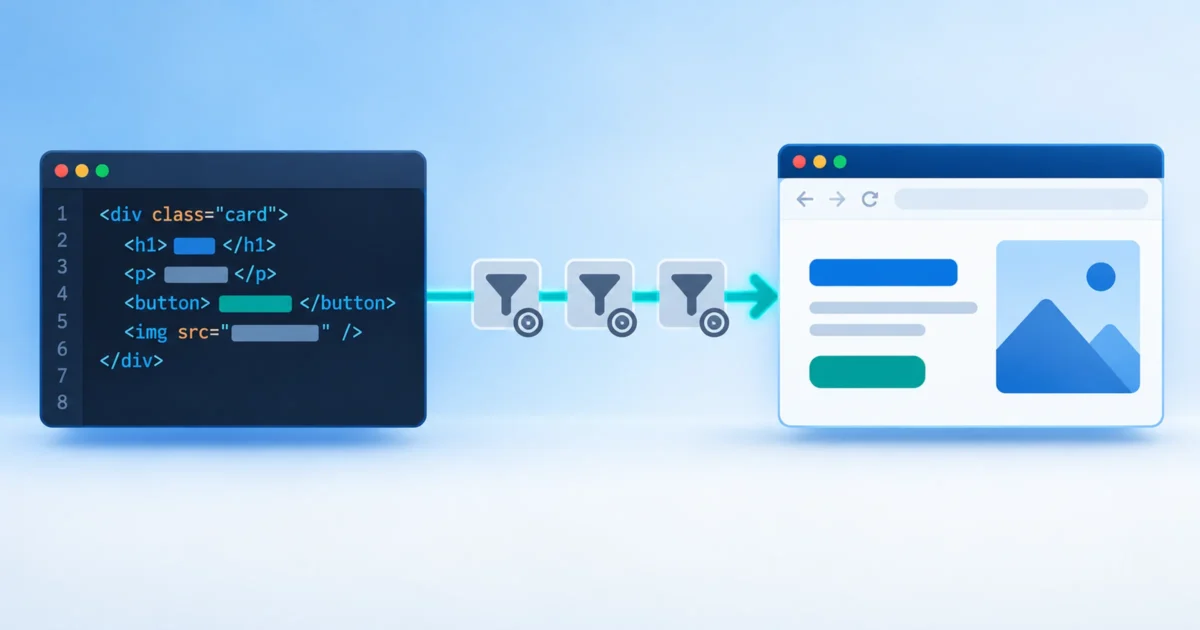
Type a paragraph into a stock WordPress install and it doesn’t reach the browser as you wrote it. On the way out, WordPress adds paragraph tags where it guesses they belong, curls your quotes, turns double hyphens into dashes, corrects your capitalization of its own name, and rewrites your image tags. None of this shows in the editor. You only see it in the page source.
On this site, all of that is switched off. The editor is a plain HTML window, and what I type is exactly what ships, byte for byte. I described the setup briefly in Classic Enterprise. This post goes through each filter: what it does, what you lose without it, and why the trade is worth it.
Step one: get rid of the editors that rewrite you
Filters aren’t the only thing changing your markup. The editors do it too. The block editor stores content as block comments and rebuilds markup to its own taste. The classic editor’s Visual tab runs your HTML through TinyMCE every time you switch tabs, quietly dropping empty elements and reformatting what’s left. So both go:
add_filter( 'use_block_editor_for_post_type', '__return_false' );
add_filter( 'user_can_richedit', '__return_false' );
The first turns off the block editor. The second removes the Visual tab, so TinyMCE never loads. What’s left is the plain-text tab, a bare textarea. This site upgrades it to CodeMirror, the code editor WordPress already ships, with wp_enqueue_code_editor(), which adds line numbers and syntax highlighting, and nothing else.
The output filters
Every time a post is displayed, WordPress runs its content through a chain of filters on the_content. These are the ones that rewrite what you typed.
wpautop
What it does: turns blank lines into paragraphs. Two line breaks become a </p><p>, a single line break becomes <br>. It’s why you can type plain text into WordPress and get paragraphs.
Why it goes: it’s guessing, and it guesses wrong as soon as you write real HTML. It wraps things that shouldn’t be paragraphs, adds stray <br> tags inside markup you formatted across lines, and leaves empty <p></p> pairs behind. Its sidekick, shortcode_unautop, exists only to undo some of its damage around shortcodes, so it goes too.
What you lose: automatic paragraphs. Every <p> is yours to write.
wptexturize
What it does: “smart” typography. Straight quotes become curly, -- becomes an en dash, --- an em dash, ... an ellipsis, and 3x4 becomes 3×4.
Why it goes: it’s rewriting your text based on a guess about what you meant. It skips <code> and <pre>, but a command-line flag like --force mentioned in ordinary prose comes out as a dash. It also runs on titles, so it goes there too.
What you lose: nothing, if you type the characters you want. This site’s posts are written with real curly apostrophes and dashes in the source. If that’s a hassle on your keyboard, entities like ’ and — work too.
convert_smilies
What it does: turns text emoticons like :) into emoji.
Why it goes: code samples and technical text are full of colons next to brackets. If you want an emoji, type the emoji.
convert_chars
What it does: converts a lone & into &, plus a few other character clean-ups.
Why it goes: it’s another rewrite of text you already wrote correctly. If you write HTML, you escape your own ampersands.
capital_P_dangit
What it does: changes “Wordpress” to “WordPress”. Really. It runs on content, titles and comments.
Why it goes: a spelling rule doesn’t belong in a rendering pipeline. It’s famous for breaking things that legitimately contain the lowercase spelling. Spell the name right yourself.
wp_filter_content_tags
What it does: rewrites every <img> in your content to add srcset, sizes, loading="lazy", decoding="async" and missing width/height attributes.
Why it goes: it’s the most useful filter on the list, and it still rewrites markup you wrote.
What you lose: automatic responsive images and lazy-loading. This is the one real cost. If you want them, write the attributes yourself on each image. For a text-heavy site with few images in posts, that’s a small price.
do_shortcode
Not removed, just never turned back on. Shortcodes are one more layer that turns text into something else. With it on, a literal [sic] in a quote, or [0] in prose, can disappear if it happens to match a shortcode some plugin registered. If one template really needs a shortcode, it calls do_shortcode() itself.
Don’t forget the feed
This is the easy one to miss. RSS has its own filter hooks, the_content_feed and the_excerpt_rss. Clean up the_content alone, and your posts stay untouched on the site but get mangled in feed readers. The filters come off the_excerpt and comment_text too.
The save filters
Output is half of it. Some filters rewrite content on the way into the database:
balanceTagsoncontent_save_precloses and re-nests HTML it considers unbalanced. It only acts when the olduse_balanceTagsoption is on, which it isn’t by default, but removing it guarantees it stays off.- kses (
wp_filter_post_kses,wp_filter_kses) strips HTML a user isn’t allowed to post. Administrators on a single site have theunfiltered_htmlcapability, so it already skips them. Removing it explicitly means a future role change or plugin can’t turn it back on unnoticed.
The whole thing
Here’s all of it, condensed from this site’s theme into one function run on init:
function wpbob_remove_content_filters(): void {
	$hooks = array( 'the_content', 'the_excerpt', 'comment_text', 'the_content_feed', 'the_excerpt_rss' );

	foreach ( $hooks as $hook ) {
		remove_filter( $hook, 'wpautop' );
		remove_filter( $hook, 'wptexturize' );
		remove_filter( $hook, 'convert_smilies' );
		remove_filter( $hook, 'convert_chars' );
		remove_filter( $hook, 'shortcode_unautop' );
	}

	remove_filter( 'the_title', 'wptexturize' );
	remove_filter( 'the_title', 'convert_chars' );
	remove_filter( 'the_content', 'capital_P_dangit', 11 );
	remove_filter( 'the_title', 'capital_P_dangit', 11 );
	remove_filter( 'comment_text', 'capital_P_dangit', 11 );
	remove_filter( 'the_content', 'wp_filter_content_tags' );

	remove_filter( 'content_save_pre', 'balanceTags', 50 );
	remove_filter( 'content_save_pre', 'wp_filter_post_kses' );
	remove_filter( 'excerpt_save_pre', 'wp_filter_post_kses' );
	remove_filter( 'content_filtered_save_pre', 'wp_filter_post_kses' );
	remove_filter( 'title_save_pre', 'wp_filter_kses' );
}
add_action( 'init', 'wpbob_remove_content_filters', 20 );
Note the priorities. remove_filter() only works if the priority matches the one the filter was added with, and capital_P_dangit runs at 11, not the default 10.
What breaks
- Existing content. This is the big one. Posts written in the visual editor are stored without
<p>tags, becausewpautopwas adding them at display time. Turn it off on an established site and every old post collapses into one long paragraph. Do this on a new site, or convert the old content first. - Shortcodes in posts. Anything a plugin expected you to drop into content as
[something]shows up as literal text. - Responsive images, unless you write the attributes yourself.
- Safety, if there’s more than one kind of writer. Raw HTML in, raw HTML out means anyone who can edit a post can put a
<script>tag on the site. That’s fine when everyone with editing rights is a trusted administrator. It’s not fine on a site with contributors, guest authors or a role that shouldn’t haveunfiltered_html. On a multi-author site, I wouldn’t do this.
Why it’s worth it
Predictability. When something looks wrong on the page, the cause is in the source I wrote, not in one of six filters that ran after it. Debugging a layout means reading one file.
Code samples survive. A technical site is full of quotes, dashes, brackets and ampersands that have to come out exactly as typed. Every filter above is a chance for a code sample to be quietly corrupted.
Content becomes portable. Every post on this site exists as a plain HTML file before it goes into WordPress. It goes in over the REST API, and what comes back out is identical to the file, checked on every upload. The file can be diffed, versioned, reviewed and moved to another system without being unscrambled first.
It means writing HTML, and that won’t suit everyone. If you already think in HTML, an editor that leaves you alone is a relief.